
BETA LIVE
TALLYAERO Logbook
The logbook built by a pilot who was frustrated with every other logbook. Fully configurable for pilots, flight engineers, loadmasters, navigators - anyone who logs flight time.
The logbook built by a pilot who was frustrated with every other logbook. Fully configurable for pilots, flight engineers, loadmasters, navigators - anyone who logs flight time.
Four core capabilities that set TALLYAERO Logbook apart—plus full configurability for any aircrew position.
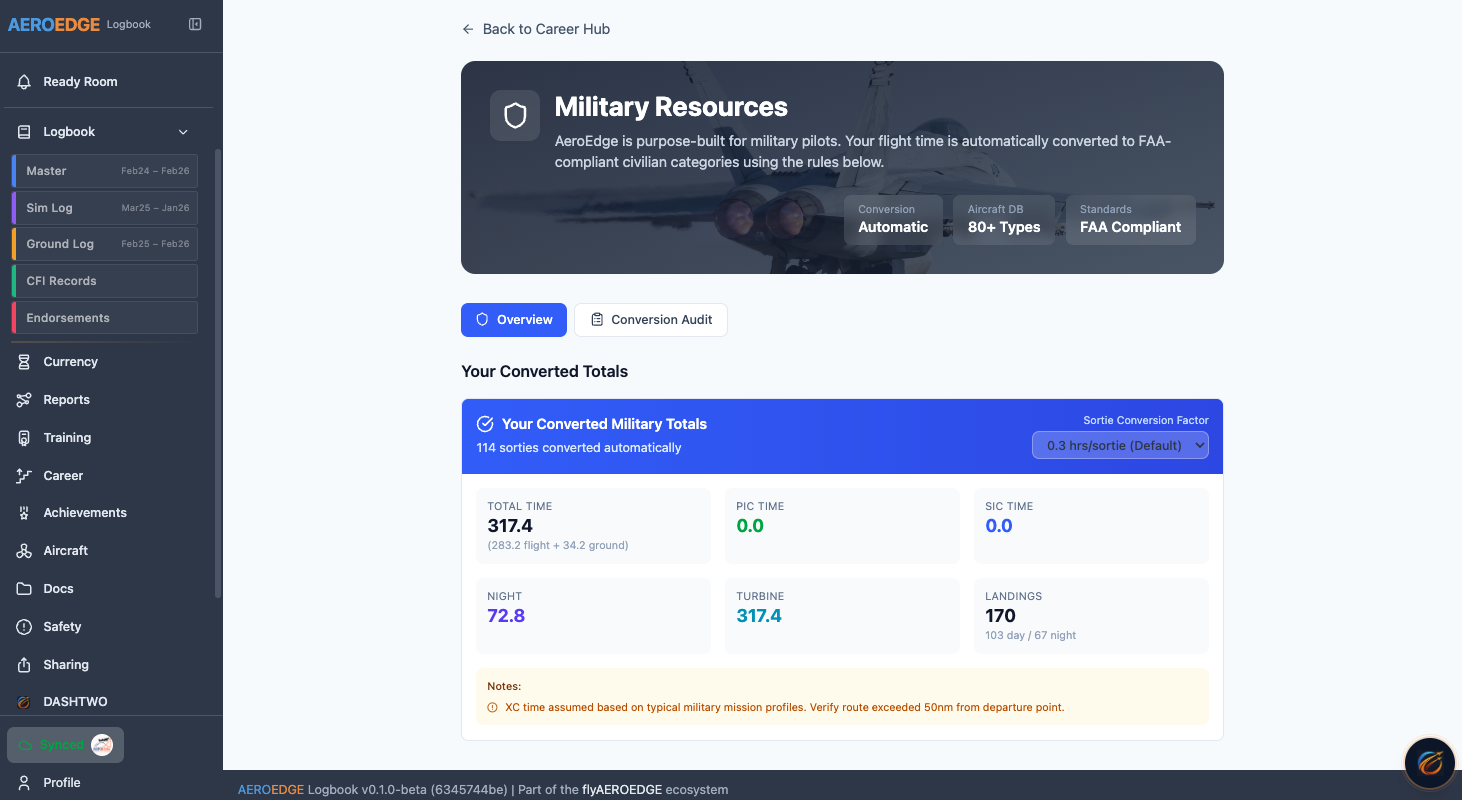
Transitioning from military to civilian? You have thousands of hours in military format that don't map cleanly to FAA categories. TALLYAERO understands both worlds.
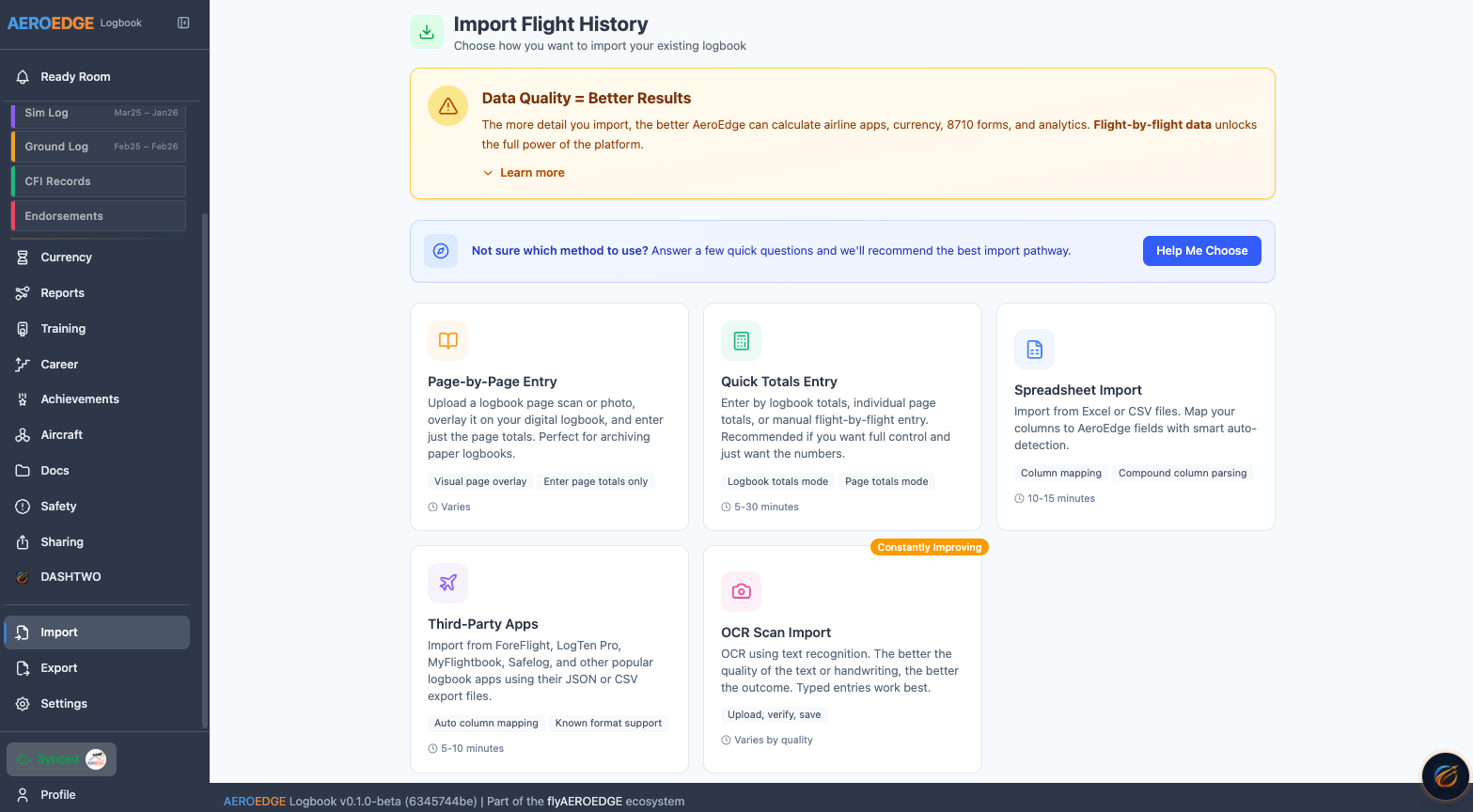
Get your existing flight time into TALLYAERO however works best for you. No single "right way."
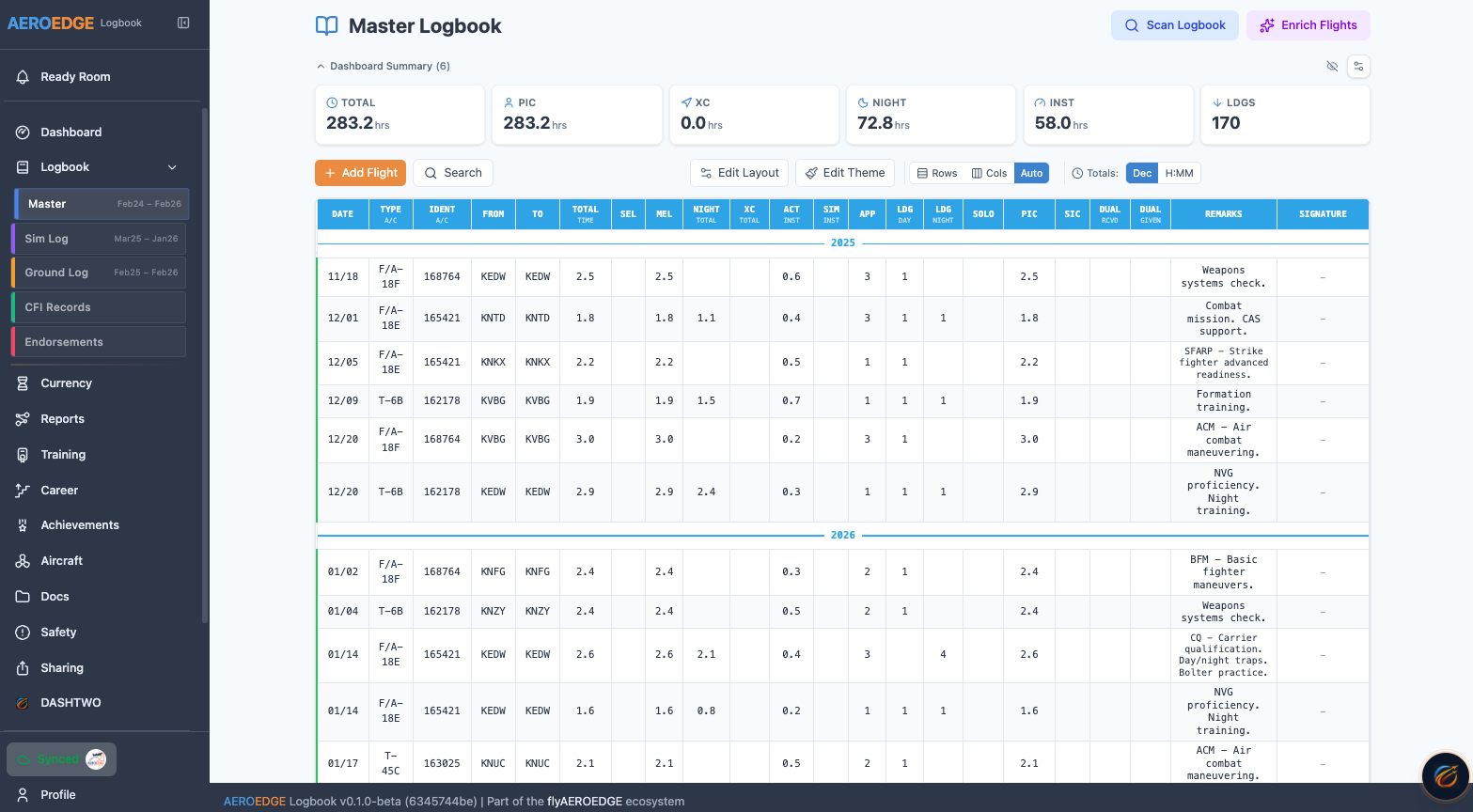
Flying multiple types? Instructing at one school, building time at another? Running concurrent logbooks? TALLYAERO handles all of it.
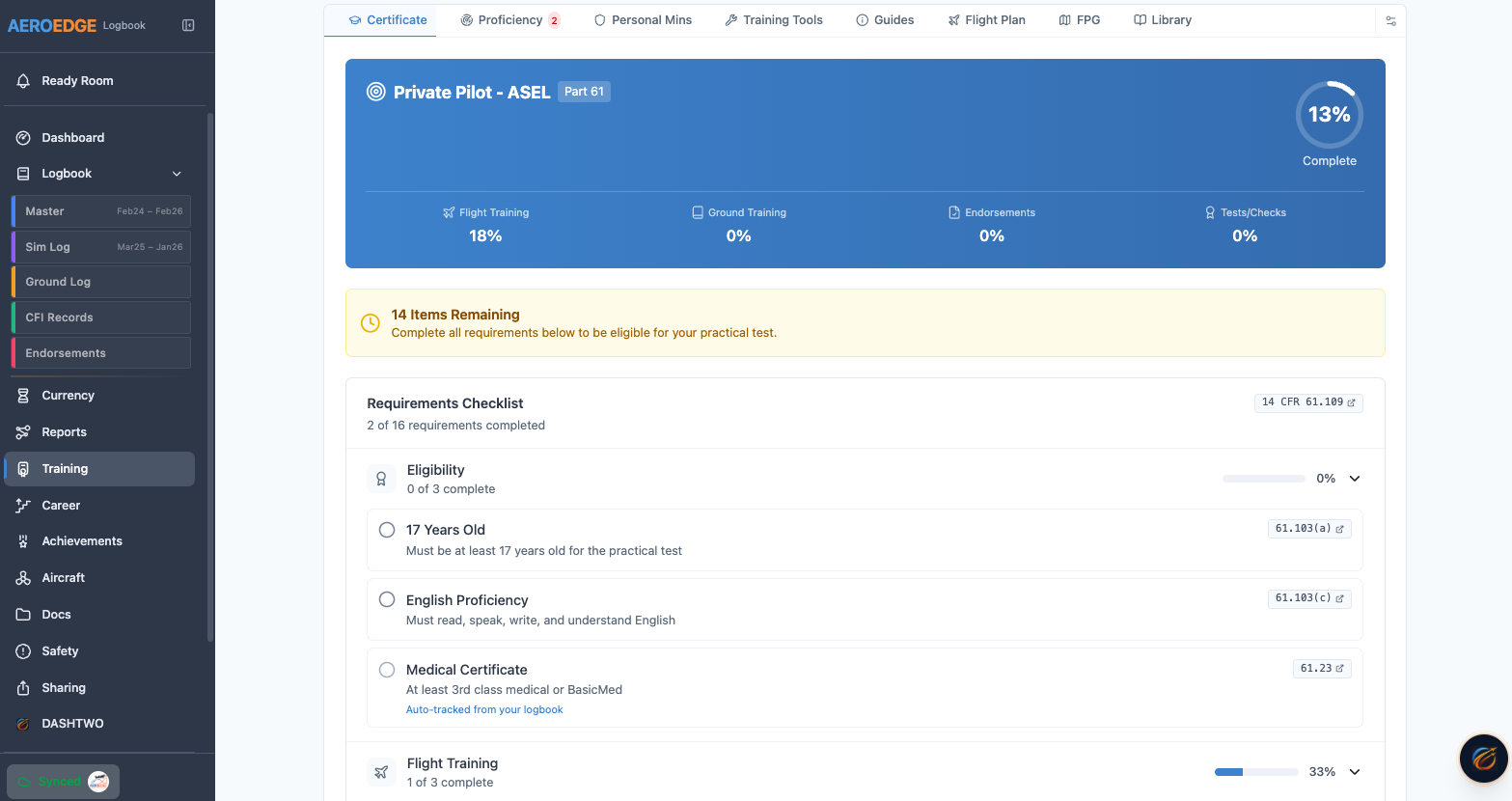
All CFR requirements and appendix requirements are attached to your profile. Track your real-time advancement toward your next certificate.
Feature comparison with typical digital logbooks.
| Feature | TALLYAERO | Typical Logbook |
|---|---|---|
| Military Conversion Engine | All military branches supported | Manual entry only |
| Multiple Import Options | Manual, CSV, Excel, JSON, OCR | CSV import (maybe) |
| AI-Powered OCR | Photo → reviewable entries | Not available |
| Context Logbooks | Unlimited + master compilation | Single logbook only |
| Out-of-Order Entry | Any date, auto-recalculates | Often restricted |
| Training Requirements Tracking | Part 61 & 141 with CFR links | Basic currency only |
| Keyboard-First Entry | Hotkeys, no mouse required | Click-heavy interface |
| Currency Alerts | SMS/Email with lead time | In-app only |
| Local Storage Option | Cloud sync OR local—your choice | Cloud-only, data hostage |
| Paper Bridge (Sticker Printing) | Print stickers for paper logbooks | Not available |
| Airline Format Export | All major carriers | Limited formats |
| Full Customization | Fields, layouts, colors, templates | Fixed format |
| All Aircrew Support | Configurable for any crew position | Pilots only |
Beyond the showcase features—the full capability set.
The logbook is the hub. Everything connects.
Log hobbs out/in and the aircraft record updates automatically. No double entry. No "did you update the sheet?"
Complete a scheduled booking and a draft logbook entry is created. Dispatch checkout data flows through.
Log a training flight and your syllabus progress updates. CFI logs once, student and instructor books both update.
AI-powered analysis of your flight data. Proficiency trends, training suggestions, and currency planning — all from your actual logbook entries.
Deep dive into specific capabilities. Click any topic to learn more.
All branches to FAA translation
OCR scanning & import options
BFR, IPC, medical & more
Endorsements & student tracking
PRIA, ATP docs & exports
Part 61/141 & checkride prep
Offline mode & full export
PDF export & paper bridge
Common questions about the TALLYAERO Digital Pilot Logbook.
TallyAero's Military Conversion Engine automatically translates military flight records from all branches—Navy/Marine Corps NATOPS, Air Force ARMS/SHARP, Army IATF, and Coast Guard systems—to FAA categories. It handles Instructor Pilot time to CFI equivalency mapping, NVG time, formation time, tactical time, and multi-crew to single-pilot conversions. The system generates airline-format exports accepted by all major carriers.
Yes. TallyAero offers multiple import options including AI-powered OCR. Simply scan your logbook pages, and AI interprets entries into a reviewable baseline. You audit and approve everything before it goes into your digital logbook. You can also import via CSV, Excel, JSON, or manual entry.
Yes. TallyAero tracks day/night/IFR currency per 14 CFR 61.57, flight review (BFR) expiration, instrument proficiency check (IPC) due dates, medical certificate expiration, and all recency requirements. You receive SMS and email notifications with configurable lead time before currencies expire.
Yes. TallyAero includes comprehensive CFI tools with digital endorsement templates based on AC 61-65, student progress tracking, milestone alerts, CFI renewal tracking, and the ability to send endorsements electronically to students. CFI logs once and both instructor and student logbooks update.
Yes. TallyAero works offline with full functionality. Your data syncs automatically when you regain connectivity. You can also choose local-only storage if you prefer not to use cloud sync—your data, your choice.
Yes. TallyAero generates airline-format reports for all major carriers, PRIA-compliant records, ATP flight time documentation, and 8710 form auto-population. The system provides accurate breakdowns of turbine PIC, multi-engine, cross country, night, and instrument time as required for airline applications.
Your data is always yours. TallyAero offers full data export at any time in standard formats (CSV, JSON, PDF). There are no subscription hostage situations—you can download your complete flight history whenever you want, and local storage options ensure you always have access to your records.
TallyAero offers capabilities not found in other logbooks: military flight time conversion, AI-powered paper logbook OCR, context logbooks for multiple flying roles, and integrated training requirements tracking. Unlike cloud-only solutions, TallyAero offers local storage options so you're never locked out of your own data.